
 Buy Mac
 Buy Windows
 TRIAL Windows
PDF2ID – PDF to Adobe InDesign (.indd) Converter
PDF2ID is a 1-click solution that converts any PDF, Adobe Illustrator1 and Windows XPS files into fully editable Adobe® InDesign® (INDD) files.
PDF2ID is the industry leading PDF to InDesign converter for Graphic Designers, Publishers, Printers and Creatives providing the most accurate conversion. Since, 2007, PDF2ID has been used to convert millions of pages to editable InDesign files.
Recover lost InDesign files; migrate Word, FreeHand, Corel, Publisher and other PDF file types to InDesign; you can also reuse archived data saved as PDFs with a simple click. PDF2ID is part of the PDF2ID Professional Suite.
Open, Convert & Edit your PDF, Illustrator and Windows XPS files directly in Adobe InDesign 2022/2023/2024/2025/2026
PDF2ID imports and converts every page in your PDF, Illustrator or XPS file to an equivalent page to the resulting InDesign document.
PDF2ID re-creates the layout of the document by forming paragraphs; applying styles; regrouping graphic elements; extracting images; creating tables; recovering PDF annotations and other elements.
PDF2ID provides full control over the conversion process allowing you to customize conversions to your requirements.
All conversions and data extraction are performed on your machine ensuring 100% data security.
PDF2ID is an Adobe InDesign plug-in allowing anyone to recover and reuse the contents of PDF, Illustrator or XPS files resulting in huge cost savings in both time and expense.
Rating:
How to Convert PDF to Adobe InDesign
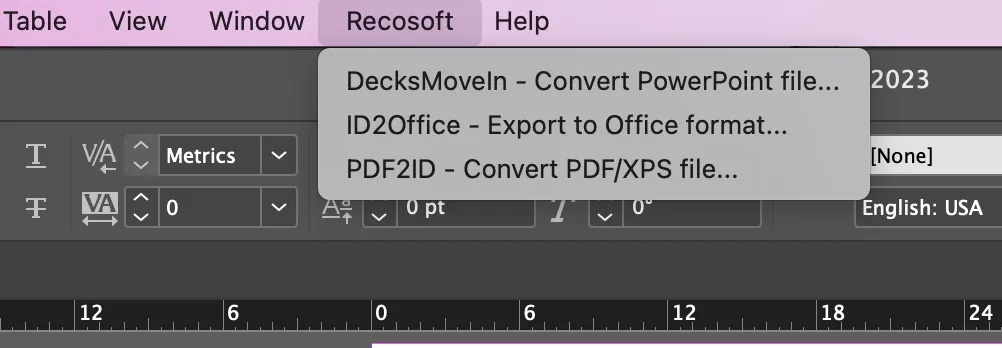
- To Convert a PDF file to Adobe InDesign type, Install PDF2ID > Choose the PDF2ID – Convert PDF/XPS file command from the Recosoft menu in InDesign

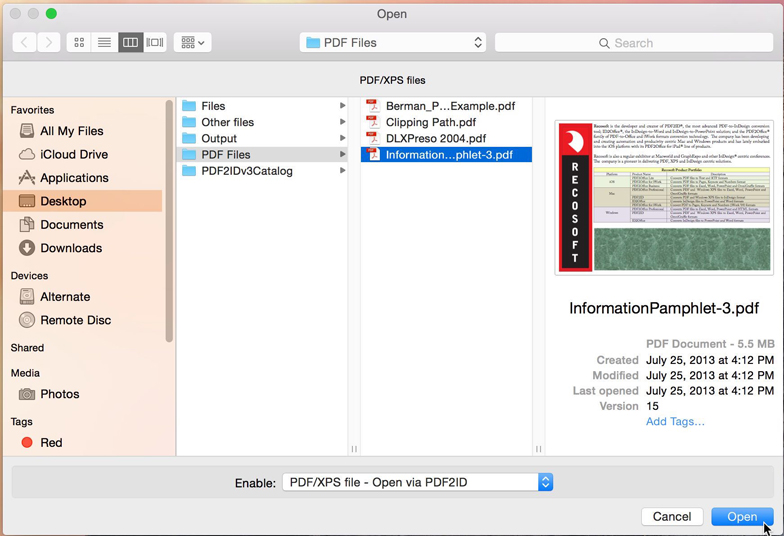
- Select the PDF to Open (or Convert) in Adobe InDesign > Click OK

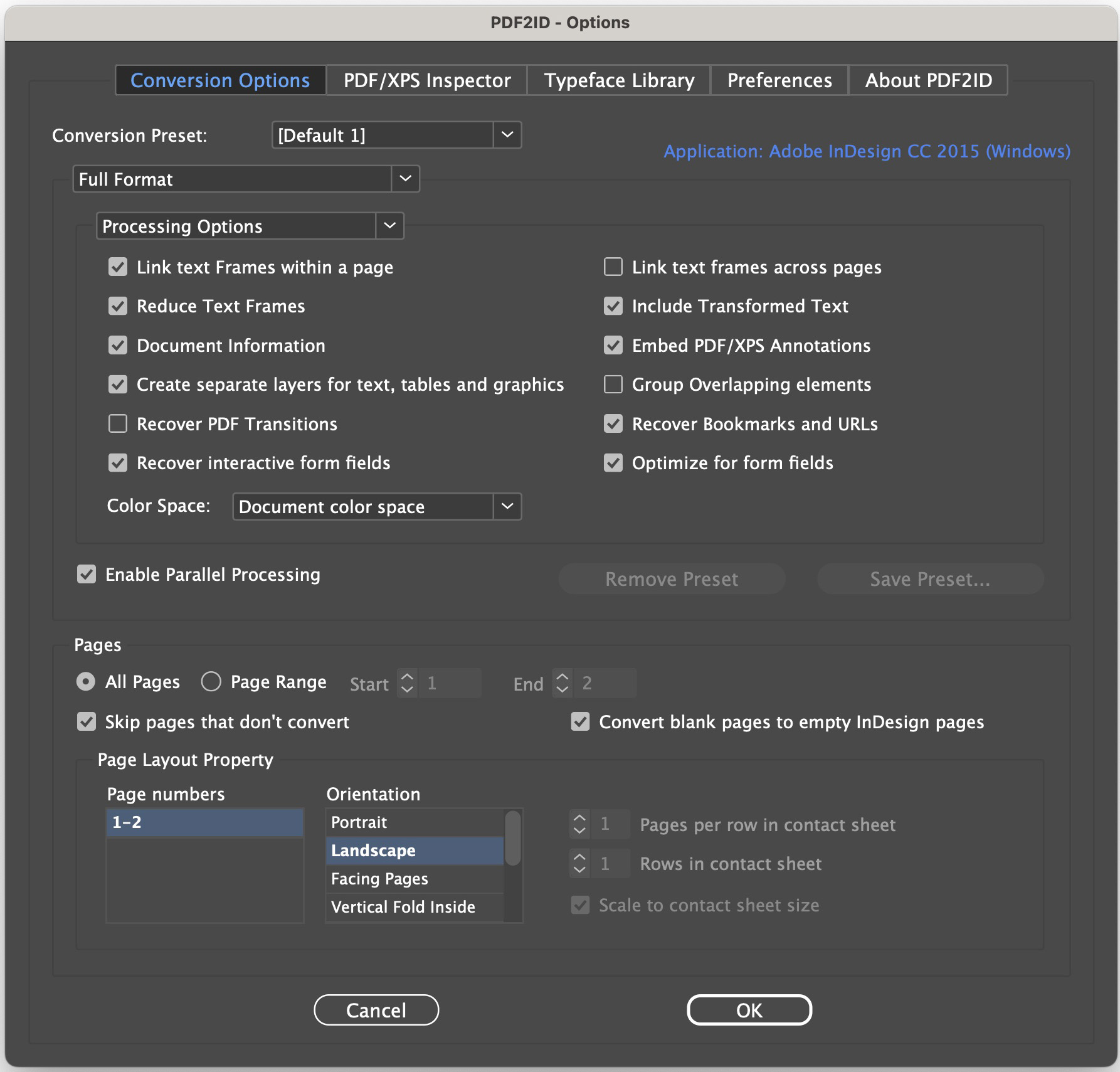
- When the PDF2ID (PDF to InDesign) – Options window appears > Click OK to convert the PDF to Adobe InDesign format (you can also specify conversion options)

- The PDF is converted to the InDesign 2022 – 2026 file which you can now edit

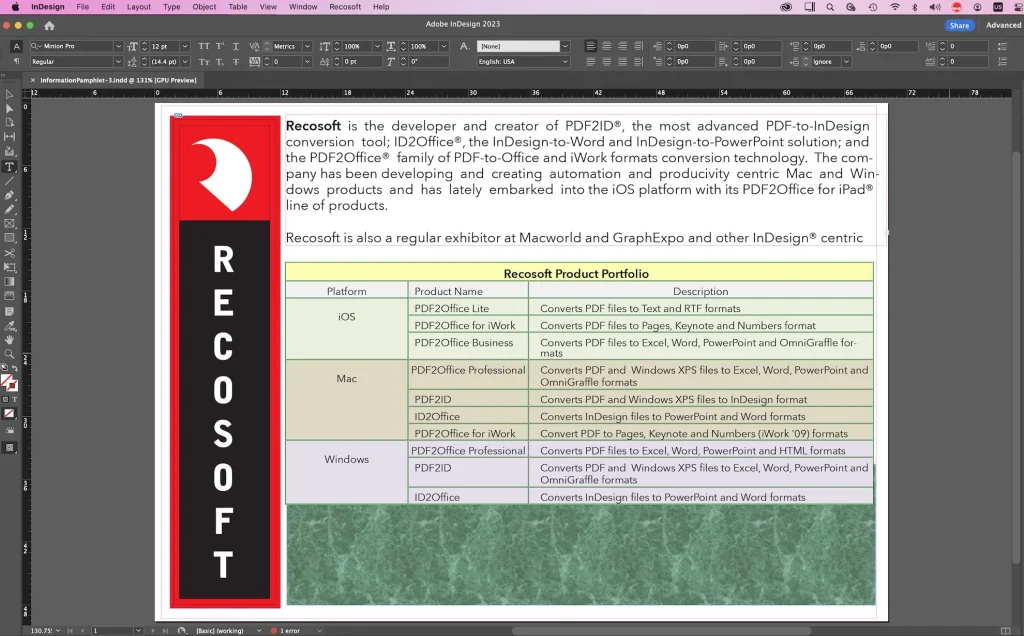
1. Illustrator files need to be saved with the PDF compatibility option.
Note: Layout reconstruction may not be 100% accurate. PDF2ID does not support user-defined dictionaries embedded in PDF files. Moreover, PDF2ID does not perform Optical Character Recognition/Analysis. Scanned pages of printouts stored in PDF documents are usually images. PDF2ID therefore treats such data as images. It also does not process 3D data in PDF files, JBIG2 images and certain graphics operations. Finally, PDF2ID doesn’t process externally linked files or embedded fonts. PDF2ID is a registered trademark or trademark of Recosoft Corporation in the United States and other countries. Adobe and InDesign are either registered trademarks or trademarks of Adobe Systems Incorporated in the United States and other countries.